
 Kia Sedona: Lane changing
Third generation YP (2014-2026) / Kia Sedona YP Owners Manual / Driving your vehicle / Smart cruise control system (SCC) / Limitations of the system / Lane changing
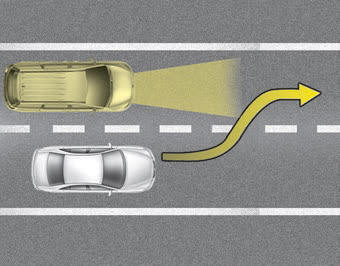
- A vehicle which moves into your lane from an adjacent lane cannot be recognized by the sensor until it is in the sensor's detection range.
- The sensor may not detect immediately when a vehicle cuts in suddenly. Always pay attention to the traffic, road and driving conditions.
- If a vehicle which moves into your lane is slower than your vehicle, your speed may decrease to maintain the distance to the vehicle ahead.
- If a vehicle which moves into your lane is faster than your vehicle, your vehicle will accelerate to the selected speed.
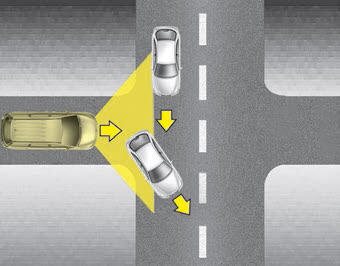
- Your vehicle may accelerate when a vehicle ahead of you disappears.
- When you are warned that the vehicle ahead of you is not detected, drive with caution.
 On inclines
During uphill or downhill driving, the SCC may not detect a moving vehicle
in your lane, and cause your vehicle to accelerate to the set speed. Also, the
vehicle speed will rapidly slow dow ...
 Vehicle recognition
Some vehicles ahead in your lane cannot be recognized by the sensor as follows:
- Narrow vehicles such as motorcycles or bicycles
- Vehicles offset to one side
- Slow-moving vehicles or suddendec ...
Other Information:
TPMS Receiver Schematic Diagrams
Schematic Diagrams
...
Climate control air filter
Filter inspection
The climate control air filter should be replaced according to the maintenance
schedule. If the vehicle is operated in severely air-polluted cities or on dusty
rough roads for a ...
Categories
- Home
- First Generation
- Second Generation
- Third generation
- Kia Sedona YP 2014-2026 Owners Manual
- Kia Sedona YP 2014-2026 Service Manual

Copyright © www.kisedona.com 2016-2026