
 Kia Sedona: To convert to cruise control mode
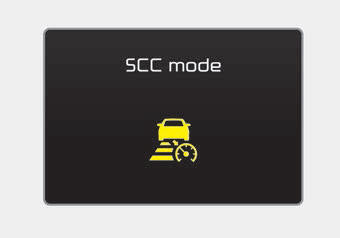
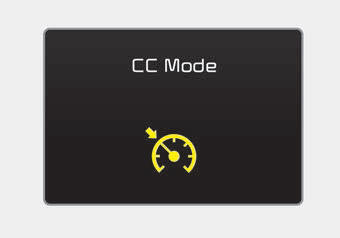
The driver may choose to only use the cruise control mode (speed control function) by doing as follows:
1.Turn the SCC on (the cruise indicator light will be on but the system will not be activated).
2.Push the distance to distance switch for more than 2 seconds.
3.Choose between "Smart cruise control(SCC) mode" and "Cruise control(CC) mode".
When using the cruise control mode, you must manually assess the distance to other vehicles as the system will not automatically brake to slow down for other vehicles.
 To adjust the sensitivity of Smart Cruise Control
The sensitivity of vehicle speed when following the front vehicle to maintain
the set distance can be adjusted. Go to the User Settings Mode (Driving Assist)
and select SCC (Smart Cruise Control ...
 Limitations of the system
The SCC may have limits to its ability to detect distance to the vehicle ahead
due to road and traffic conditions. ...
Other Information:
Steering Angle Sensor Description and Operation
Description
Installed in MDPS (Motor Driven Power Steering), the Steering
Angle Sensor (SAS) sends signals to HECU through CAN communication
line.
The SAS is used to determine turning directio ...
Repair procedures
Refrigerant Recovery
Use only U.L.-listed service equipment that is certified to
meet the requirements of SAE J2210 when removing HFC-134a (R-134a) from
the air conditioning system.
...
Categories
- Home
- First Generation
- Second Generation
- Third generation
- Kia Sedona YP 2014-2026 Owners Manual
- Kia Sedona YP 2014-2026 Service Manual
