
 Kia Sedona: Rear temperature control
From front seat
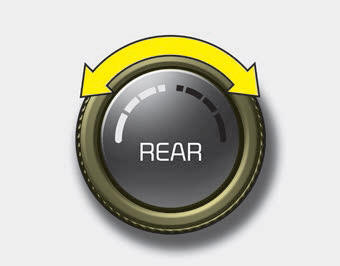
Set the rear climate control selection (REAR ON) button to the ON position and press the rear fan speed control button in the front climate control panel to the desired position.
To change the rear air temperature, turn the knob to the right position for warm and hot air or left position for cooler air.
From rear seat
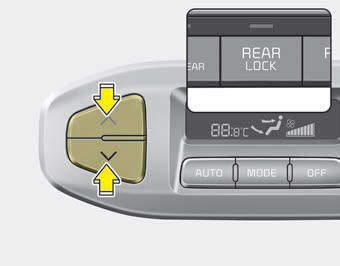
Set the rear climate control selection (REAR ON) button in the front climate control panel to the ON position and set the rear climate control selection(REAR LOCK) button in the front climate control panel to the OFF position and press the rear fan speed control button on the rear control panel to the desired position.
To change the rear air temperature, press the button ( )
for warmer air or press the button (
)
for warmer air or press the button ( )
for cooler air.
)
for cooler air.
 Rear fan speed control
From front seat
Set the rear climate control selection (REAR ON) button to the ON position and
press the rear fan speed control button in the front climate control panel to the
desired position ...
 Rear mode selection
Front climate control is :
Rear air blows from the upper vents on the rear ceiling.
Front climate control is :
Rear air blows from the upper vents on the rear ceiling and the lower vents
...
Other Information:
Driving your vehicle
Be sure the exhaust system does not leak.
The exhaust system should be checked whenever the vehicle is raised to change
the oil or for any other purpose. If you hear a change in the sound of the ex ...
Wheel Repair procedures
Hub nut tightening sequence
Tighten the hub nuts as follows.
Tightening torque:
88.3 ~ 107.9N.m (9.0 ~ 11.0kgf.m, 65.1 ~ 79.6lb-ft)
When using an impact gun, fin ...
Categories
- Home
- First Generation
- Second Generation
- Third generation
- Kia Sedona YP 2014-2026 Owners Manual
- Kia Sedona YP 2014-2026 Service Manual
