
 Kia Sedona: Press start button with key (for smart key system)
Third generation YP (2014-2026) / Kia Sedona YP Owners Manual / Features of your vehicle / LCD display / Warning Messages (for Type B and C cluaster) / Press start button with key (for smart key system)
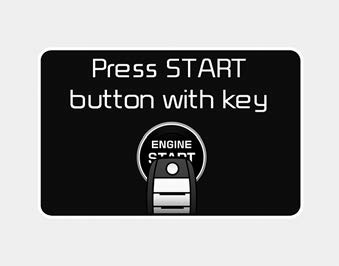
- This warning message illuminates if you press the Engine Start/Stop Button
while the warning message
 Press start button again (for smart key system)
This warning message illuminates if you can not operate the Engine Start/Stop
Button when there is a problem with the Engine Start/Stop Button system.
It means that you could start the engin ...
 Check fuse BRAKE SWITCH (for smart key system)
This warning message illuminates if the brake switch fuse is disconnected.
It means that you should replace the fuse with a new one. If that is not
possible, you can start the engine by pres ...
Other Information:
Opening the fuel filler lid
The fuel filler lid must be opened from inside the vehicle by pulling up the
fuel filler lid opener.
If the fuel filler lid does not open because ice has formed around it, tap lightly
or push o ...
Fan speed control
The fan speed can be set to the desired speed by operating the fan speed control
button.
To change the fan speed, press () the
button for higher speed, or push () the
button for lower speed. ...
Categories
- Home
- First Generation
- Second Generation
- Third generation
- Kia Sedona YP 2014-2026 Owners Manual
- Kia Sedona YP 2014-2026 Service Manual

Copyright © www.kisedona.com 2016-2026