
 Kia Sedona: Automatic heating and air conditioning
Third generation YP (2014-2026) / Kia Sedona YP Owners Manual / Features of your vehicle / Automatic climate control system / Automatic heating and air conditioning
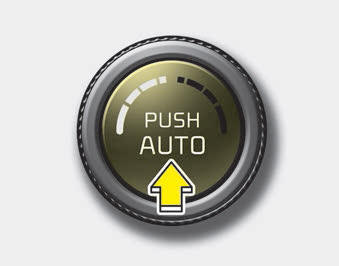
1. Press the AUTO button. The modes, fan speeds, air intake and air-conditioning will be controlled automatically by setting the temperature.
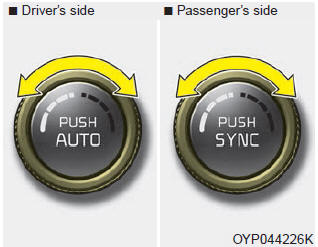
2. Turn the temperature control knob to the desired temperature.
✽ NOTICE
- To turn the automatic operation off, select any button or switch of the
following:
- Mode selection button
- Air conditioning button
- Front windshield defroster button (Press the button one more time to deselect the front windshield defroster function. The AUTO sign will illuminate on the information display once again.)
- Air intake control button
- Fan speed control switch
The selected function will be controlled manually while other functions operate automatically. - For your convenience and to improve the effectiveness of the climate control, use the AUTO button and set the temperature to 23
 Automatic climate control system
Type A
Type B
1. Driver`s temperature control knob
2. AUTO(automatic control) button
3. A/C display
4. Passenger ...
 Mode selection
The mode selection button controls the direction of the air flow through the
ventilation system.
The air flow outlet port is converted as follows:
Refer to the illustration in the ...
Other Information:
Heater Core Repair procedures
Replacement
1.
Disconnect the negative (-) battery terminal.
2.
After loosening the nuts and bolts, remove the main crash pad and cowl cross bar assembly (A) altogether.
(Refer to Heater - "H ...
IMS Control Switch Repair procedures
Removal
1.
Disconnect the negative (-) battery terminal.
2.
Install the driver''s door trim.
(Refer to Body - "Front Door Trim")
3.
Remove the IMS switch (A) after loosening the screws.
...
Categories
- Home
- First Generation
- Second Generation
- Third generation
- Kia Sedona YP 2014-2026 Owners Manual
- Kia Sedona YP 2014-2026 Service Manual

Copyright © www.kisedona.com 2016-2026