
 Kia Sedona: Press start button with key (for smart key system)
Third generation YP (2014-2026) / Kia Sedona YP Owners Manual / Features of your vehicle / LCD display / Warning Messages (for Type B and C cluaster) / Press start button with key (for smart key system)
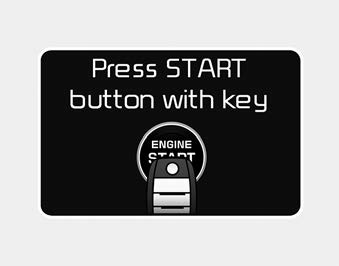
- This warning message illuminates if you press the Engine Start/Stop Button
while the warning message
 Press start button again (for smart key system)
This warning message illuminates if you can not operate the Engine Start/Stop
Button when there is a problem with the Engine Start/Stop Button system.
It means that you could start the engin ...
 Check fuse BRAKE SWITCH (for smart key system)
This warning message illuminates if the brake switch fuse is disconnected.
It means that you should replace the fuse with a new one. If that is not
possible, you can start the engine by pres ...
Other Information:
Engine Room Under Cover Components and Components Location
Components
1. Engine room RH side cover2. Engine room LH side cover3. Engine room front under cover
...
Air bag Warning Light
This warning light illuminates:
Once you set the ignition switch or Engine Start/Stop Button to the ON position.
- It illuminates for approximately 6 seconds and then goes off.
When there is ...
Categories
- Home
- First Generation
- Second Generation
- Third generation
- Kia Sedona YP 2014-2026 Owners Manual
- Kia Sedona YP 2014-2026 Service Manual

Copyright © www.kisedona.com 2016-2026