
 Kia Sedona: Description
Third generation YP (2014-2026) / Kia Sedona YP Owners Manual / Features of your vehicle / LCD display / User Settings Mode (for type B/C cluster) / Description
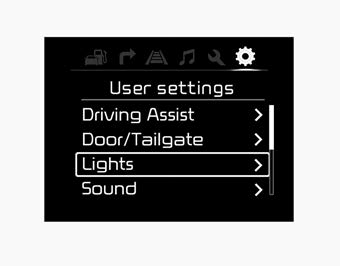
On this mode, you can change setting of the doors, lights, and so on.

 Driving Assist
Smart Cruise Control Response (if equipped)
Choose the sensitivity of the smart cruise control.
Rear Cross Traffic Alert (if equipped)
If this item is checked, rear cross traffic alert function wil ...
Other Information:
Line Pressure Control Solenoid Vale Components and Components Location
Component Location
1. Line pressure control solenoid valve (LINE_VFS) ...
Troubleshooting
Troubleshooting
SymptomProbable causeRemedyPlay in steeringLoose yoke plugRetightenLoose steering gear mounting boltsRetightenLoose or worn tie rod endRetighten or replace as necessarySteering w ...
Categories
- Home
- First Generation
- Second Generation
- Third generation
- Kia Sedona YP 2014-2026 Owners Manual
- Kia Sedona YP 2014-2026 Service Manual

Copyright © www.kisedona.com 2016-2026