
 Kia Sedona: To set vehicle to vehicle distance
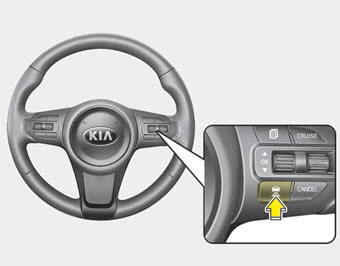
This function allows you to program the vehicle to maintain relative distance to the vehicle ahead without depressing the accelerator pedal or brake pedal.
The vehicle to vehicle distance will automatically activate when the SCC is on.
Select the appropriate distance according to road conditions and vehicle speed.
Each time the button is pressed, the vehicle to vehicle distance changes as follows:
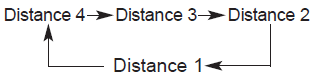
For example, if you drive at 90 km/h (56 mph ), the distance is maintained as follows;
Distance 4 - approximately 52.5 m (172 feet )
Distance 3 - approximately 40 m (130 feet )
Distance 2 - approximately 32.5 m (106 feet )
Distance 1 - approximately 25 m (82 feet )
✽ NOTICE
The 'Distance 4' is always set when the system is used for the first time after starting the engine.
 WARNING - Following distance
- To avoid collisions, always be aware of the selected speed and vehicle to vehicle distance settings when activating your smart cruise control system.
- Always maintain sufficient braking distance and decelerate your vehicle by applying the brakes if necessary.
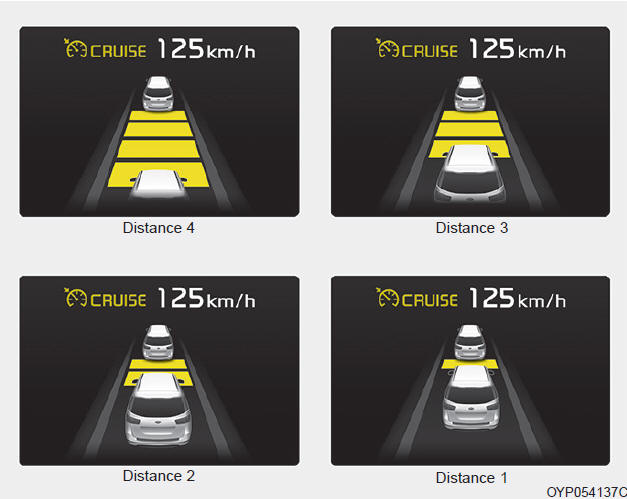
- The vehicle will maintain the set speed, when the lane ahead is clear.
- The vehicle will slow down or speed up within selected speed to maintain the selected distance, when there is a vehicle ahead of you in the lane. (A vehicle will appear in front of your vehicle in the LCD display only when there is an actual vehicle in front of you)
- If the vehicle ahead speeds up, your vehicle will travel at a steady cruising speed after accelerating to the selected speed.
- The warning chime sounds and LCD display blinks if it is hard to maintain the selected distance to the vehicle ahead.
- If the warning chime sounds, actively adjust the vehicle speed by depressing the brake pedal according to the road condition ahead and driving condition.
- Even if the warning chime is not activated, always pay attention to the driving conditions to prevent dangerous situations from occurring.
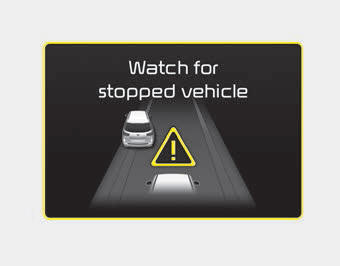
If the vehicle ahead (vehicle speed: less than 30 km/h (20 mph)) moves to the next lane, the warning chime will sound and a message will appear.
If a vehicle enters into your lane moving less than the designated speed, you can adjust your vehicle speed by depressing the brake pedal.

 Sensor to detect distance to the vehicle ahead
The sensor detects distance to the vehicle ahead.
If the sensor is covered with dirt or other foreign matter, the vehicle to vehicle
distance control may not operate correctly.
Always keep the s ...
Other Information:
Air conditioning
All Kia Air Conditioning Systems are filled with R-134a refrigerant.
1. Start the engine. Press the air conditioning button.
2. Set the mode to the position.
3. Set the air intake control to the o ...
Storing positions into memory using the buttons on the door
Storing driver ...
Categories
- Home
- First Generation
- Second Generation
- Third generation
- Kia Sedona YP 2014-2026 Owners Manual
- Kia Sedona YP 2014-2026 Service Manual
