
 Kia Sedona: Rearview camera
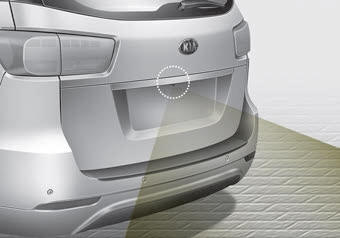
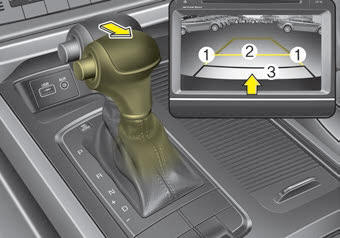
The rearview camera will activate with the ignition switch ON and the shift lever in the R (Reverse) position
This system is a supplemental system that shows behind the vehicle through the rearview display mirror while backing up unless equipped with a navigation system, then will display on the screen.
The rearview camera may be turned off by pressing the ON/OFF button when the rearview camera is activated.
To turn the camera on again, press the ON/OFF button again when the ignition switch is on and the shift lever in R (Reverse). Also, the camera will turn on automatically whenever the ignition switch is turned off and on again.
- This system is a supplementary function only. It is the responsibility of the driver to always check the inside/outside rearview mirrors and the area behind the vehicle before and while backing up because there is a dead zone that can't be seen by the camera.
- Always keep the camera lens clean. If lens is covered with foreign matter, the camera may not operate normally.
 WARNING - Backing & using camera
Never rely solely on the rear view camera when backing. You must always use methods of viewing the area behind you including looking over both shoulders as well as continuously checking all three rear view mirrors. Due to the difficulty of ensuring that the area behind you remains clear, always back slowly and stop immediately if you even suspect that a person, and especially a child, might be behind you.
 Self-diagnosis
If you don ...
 360
360
The 360 ...
Other Information:
Dimensions
...
Electronic Brake force Distribution (EBD) System Warning Light
These two warning lights illuminate at the same time while driving :
...
Categories
- Home
- First Generation
- Second Generation
- Third generation
- Kia Sedona YP 2014-2026 Owners Manual
- Kia Sedona YP 2014-2026 Service Manual
